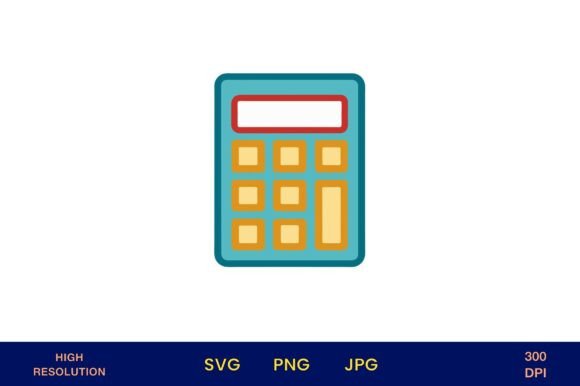
Blue Calculator Icon Vector Design
Need a clean, professional, and instantly recognizable symbol for finance, math, or learning? The Blue Calculator Icon Vector Design delivers precision and versatility in one ready-to-use digital asset. It’s not just another clipart-style graphic—it’s a thoughtfully crafted, scalable vector illustration designed for real-world utility across education, business, and creative production.
This calculator vector illustration is isolated on a pure white background—no distractions, no guesswork. Its crisp blue tone conveys trust, logic, and clarity—qualities that resonate strongly in financial reporting, academic materials, and data-driven branding. Because it’s built as a vector (SVG), it scales flawlessly from a tiny app icon to a 24-inch wall poster without losing edge or detail.
What You Actually Get—and Why It Matters
When you download this design, you receive three high-resolution file formats: PNG, JPG, and SVG—all sized at 4200 × 4200 pixels and optimized at 300 dpi. That means sharp output whether you’re printing lesson handouts, designing merch, or embedding into a presentation.
- PNG: Ideal for web use, with full transparency support—drop it onto any colored background or gradient without clipping masks or extra editing.
- JPG: Lightweight and universally compatible—perfect for email newsletters, social posts, or quick client deliverables where file size matters.
- SVG: The gold standard for scalability and editing. Open it in Illustrator, Figma, or even modern browsers—and adjust colors, stroke weights, or group elements without quality loss.
Unlike raster-only assets, this Blue Calculator Icon Vector Design stays crisp at any size—and because the background is transparent by default, integration into existing layouts takes seconds, not hours.
Where This Design Fits Naturally
Educators use it to label math worksheets, annotate digital quizzes, or brand classroom posters. Financial advisors drop it into client reports next to ROI calculations or budget summaries. Freelance designers embed it in invoice templates, planner covers, or pitch decks to signal analytical rigor.
It works equally well in tactile and digital spaces. Print it on laminated flashcards for middle-school algebra review. Add it to a wedding seating chart as a playful “budget-conscious” accent. Use it on a t-shirt for a STEM camp fundraiser—or as part of a photographer’s branded pricing guide (“Packages + Calculations”).
For bloggers covering personal finance, this icon adds visual consistency when illustrating compound interest posts or debt payoff timelines. For small business owners building Canva-based social graphics, it replaces generic stock icons with something cohesive, ownable, and on-brand.
Real-World Uses You Might Not Expect
• Florists use it subtly on pricing sheets or proposal PDFs—hinting at thoughtful cost planning without overt financial jargon.
• Scrapbookers layer it over travel journal pages documenting budget trips—pairing function with narrative.
• Bridal shower planners include it on “money tree” signage or gift registry cards to gently reinforce contribution logistics.
• Photographers add it to digital contracts beside payment schedule tables—making terms feel clear, fair, and structured.
Why Transparency and Resolution Are Non-Negotiable
A 300 dpi resolution at 4200px isn’t overkill—it’s future-proofing. If you ever need to print large-format banners for a conference booth or produce glossy planner inserts, this file won’t pixelate or blur. And because the background is transparent, there’s no time wasted removing white boxes in Photoshop or wrestling with anti-aliasing edges.
That transparency also supports accessibility: when placed over textured or dark UI backgrounds, you retain full control over contrast and legibility. No guessing whether the icon will “read” against your brand’s secondary color palette.
Smart Implementation Tips
Before dropping the Blue Calculator Icon Vector Design into your project, consider these practical checks:
- Match tone, not just color. Blue reads as calm and competent—but if your brand uses vibrant coral or deep charcoal, tweak the SVG fill in under two minutes using any vector editor.
- Respect context hierarchy. On a busy financial dashboard, keep the icon modest in size—let numbers and charts lead. On a minimalist worksheet header, let it anchor the layout.
- Test print first. Even with 300 dpi, paper type affects perceived sharpness. Run a test page on your target stock—especially if using matte or recycled paper.
- Check licensing scope. This is a digital product for commercial and personal use—no attribution required—but avoid reselling the raw file as your own stock asset.
How It Compares to Alternatives
Free icon libraries often offer calculator glyphs—but rarely with true vector flexibility, consistent line weight, or intentional blue tonality. Generic PNGs frequently lack transparency or scale poorly beyond 500px. Custom illustration work costs hundreds and ties up bandwidth.
This Blue Calculator Icon Vector Design sits in the sweet spot: professional-grade quality, immediate usability, and zero friction. It doesn’t ask you to be a designer to use it well—just someone who values clarity, consistency, and time saved.
If you're building printable kits for teachers, launching a finance newsletter, or crafting branded stationery for your accounting practice, this icon does quiet, confident work behind the scenes—so your message stays front and center.
No subscriptions. No watermarks. No waiting for revisions. Just download, open, and deploy—with confidence that it looks polished, communicates purpose, and holds up across every medium you choose.