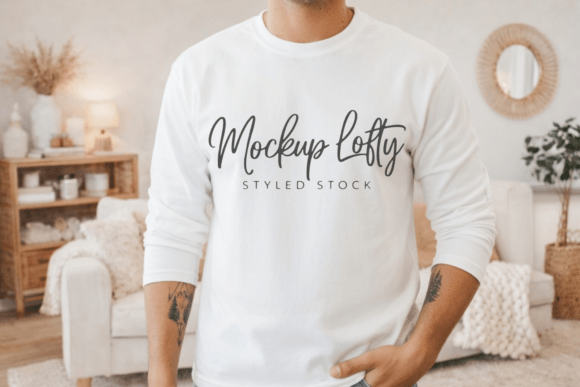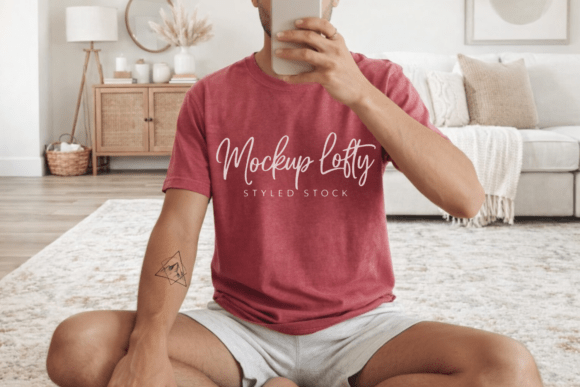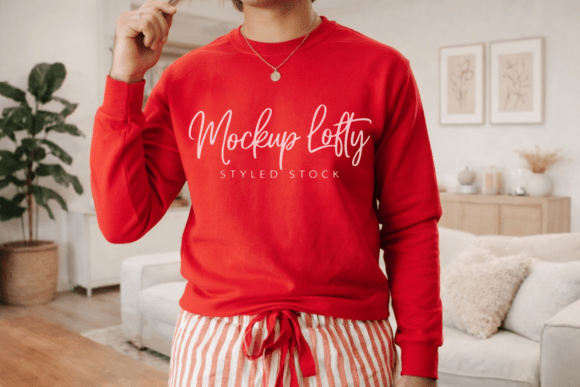
Comfort Colors 6014 Red Mockup
When your design deserves clarity—not clutter—the Comfort Colors 6014 Red Mockup delivers exactly that. It’s not just another long sleeve t-shirt template. It’s a high-resolution, thoughtfully framed representation of a garment known for its relaxed fit, garment-dyed softness, and authentic, lived-in character. This mockup captures the subtle texture, natural drape, and rich red tone of the original Comfort Colors 6014 shirt without adding visual noise. No watermarks. No distracting tags. Just clean, professional space for your artwork to speak for itself.
A Foundation for Clarity and Consistency
At 300 DPI and delivered as a JPEG, this mockup supports crisp presentation across digital and print contexts—from social media previews and client proposals to product listings on Etsy or Creative Market. Because it’s intentionally minimal, it works equally well for bold typography, delicate line art, or layered illustrations. Designers who value consistency across a brand’s visual library often use this mockup as a baseline: same lighting, same angle, same fabric behavior—so every design variation feels like part of a unified collection, not a disjointed set of experiments.
Real Applications Across Roles
For Print-on-Demand Sellers: Whether you’re launching a seasonal collection on Redbubble or building a curated shop on Etsy, the Comfort Colors 6014 Red Mockup helps customers visualize how their purchase will look and feel. Its relaxed fit and pigment-dyed realism signal authenticity—something buyers increasingly seek in apparel. Use it to preview limited-edition drops, pair designs with lifestyle shots (e.g., mockup + coffee cup + notebook), or create cohesive banner sets for your store homepage.
For Educators & Content Creators: Teaching screen printing basics? Launching a Canva course on merch design? This mockup serves as a reliable, no-frills teaching tool. You can layer transparent design files directly onto the shirt front, demonstrating placement rules, bleed margins, and scale relationships—all while keeping focus on technique, not technical hurdles. Its neutral background makes it easy to annotate in video edits or slide decks.
For Small Business Owners: If you’re ordering custom staff tees or launching branded swag for an event, this mockup lets you share realistic previews with stakeholders before committing to production. It eliminates guesswork about how a logo will interact with the fabric’s texture or how red tones shift under different lighting. Bonus: because it’s a JPEG, it loads quickly in email clients and internal Slack channels—no PSD plugins required.
Style Flexibility Without Compromise
The beauty of the Comfort Colors 6014 Red Mockup lies in how easily it adapts to different aesthetics—without needing edits to the base file. For minimalist brands, place a small chest logo centered just below the collar. For illustrative studios, extend artwork across the full front with intentional negative space around the sleeves and hem. For typographic designers, try stacking short phrases vertically along the left seam—leveraging the mockup’s natural folds to add gentle rhythm.
You don’t need Photoshop mastery to use it effectively. Many designers import the JPEG into Figma, Affinity Photo, or even Canva, then use blending modes or opacity adjustments to simulate ink absorption or fabric softness. The key is restraint: let the mockup’s inherent realism do the heavy lifting. Over-editing—like adding artificial shadows or exaggerated wrinkles—often undermines the clean, personable aesthetic this mockup was built to highlight.
Smart Pairings for Stronger Presentations
While powerful on its own, this mockup gains even more impact when paired intentionally:
- With flat-lay photography: Place the mockup beside actual props—a folded bandana, vintage sunglasses, or a worn leather journal—to suggest lifestyle context without staging a full photoshoot.
- In multi-angle sequences: Combine it with a simple front-and-back mockup set (even if sourced separately) to show design continuity across garment surfaces.
- In mood board integration: Drop it into a broader brand board alongside color swatches, font samples, and tone-of-voice examples—its consistent red hue anchors the palette visually.
Avoid overloading mockups with too many variants at once. One well-chosen presentation—clean, legible, aligned with audience expectations—builds more trust than five competing versions.
Why “Garment Dyed” Matters Beyond Aesthetics
The Comfort Colors 6014 shirt isn’t just red—it’s garment dyed, meaning the entire finished shirt is submerged in dye. That process creates subtle tonal shifts, especially around seams and folds. This mockup reflects those variations authentically. For designers working with heritage, workwear, or indie streetwear audiences, that nuance signals intentionality. It tells viewers: this isn’t mass-produced uniformity; it’s considered craft. When presenting eco-conscious collections or small-batch runs, that detail reinforces credibility—no explanation needed.
Getting Started, Thoughtfully
Start by testing your design at actual print size—many creators overlook how scaling affects readability on fabric. Zoom in on the mockup’s chest area: if fine lines or small text blur or disappear, simplify. Next, check contrast against the red base. Deep navy or charcoal often reads more clearly than black on pigment-dyed reds. Finally, save multiple exports: one with your design fully visible, one with a subtle shadow beneath the shirt (for web banners), and one cropped tightly for Instagram posts.
This isn’t about chasing trends. It’s about choosing tools that support your voice—not drown it out. The Comfort Colors 6014 Red Mockup doesn’t ask you to adapt to it. Instead, it gives you room to present your work with quiet confidence, grounded in realism and respect for the craft behind both garment and design.